Discord & Trello Status for Relaxing Nature Obby
Honest verification notes, fake-server red flags, and where real ASMR Jumps updates actually appear.
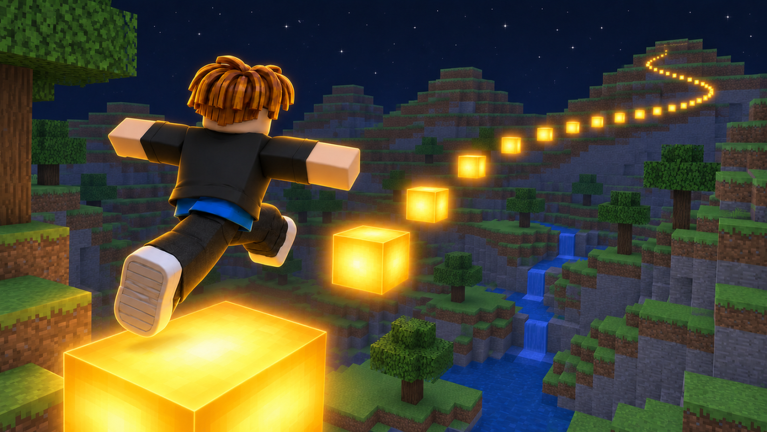
Players searching Relaxing Nature Obby Discord, ASMR Jumps Trello, or “official server invite” hit the same Roblox SEO pattern that invents promo codes: affiliate blogs and video descriptions paste fake Discord invites and nonexistent Trello boards beside every trending parkour thumbnail. This page states the verified status clearly and shows safer places to watch for news.
Honest status (late November 2026)
| Channel | Status | What we verified |
|---|---|---|
| Official Discord invite | Not verified | No invite published by ASMR Jumps that we could confirm against the Roblox group or experience page |
| Public Trello / roadmap board | Not verified | No public board linked from the creator group, experience description, or dated update posts |
| Roblox group wall / shouts | Primary | Group ASMR Jumps (id 424968564) |
| Experience page updates | Primary | Place 73535452172577, universe 10774761774 |
This fan wiki will not invent invite codes, vanity Discord URLs, or Trello links to look more “complete.” If ASMR Jumps later posts a real invite or board, we will add it here and on the Links Hub after checking that the destination matches the same creator context.
Why Discord / Trello queries dominate Roblox SEO
Evergreen search intent looks like:
- “game name Discord” for patch rumors and code drops
- “game name Trello” for tier lists, item roadmaps, and leak boards
- “working invite 2026” mirroring the same farms that fake code tables
For many long-running Roblox titles those channels are real. For a chill ASMR parkour experience that launched on 5 November 2026 and sits around ~580k visits, creators may simply not have opened a public Discord or Trello yet—or they may keep coordination private. Absence of a link is not proof that a random discord.gg/... in a YouTube description is official.
Where real updates actually appear
Until a verified community board exists, treat these as the source of truth:
- ASMR Jumps Roblox group — wall posts, shouts, and group games list (see Creator).
- Relaxing Nature Obby experience page — description changes, thumbs, and Roblox update posts.
- In-experience banners or lobby messages after a content patch.
- This wiki’s Updates Hub and Changelog when we mirror dated polish notes.
- Promo tracking on the Codes Hub—still empty of verified strings as of late November 2026.
If someone claims “codes drop only on Discord,” ask for a matching group shout or experience post. Codes still redeem in-server; Discord is never a password gate.
How to spot fake Discords
Treat an invite as suspicious when:
- The server name only partially matches Relaxing Nature Obby / ASMR Jumps and immediately pushes “verify” bots that request token-style permissions
- Staff ask you to download executors, unlockers, or
.exe“fix tools” - Channels sell “private codes,” paid roles, or Roblox accounts
- The invite appeared only in comment spam under gameplay clips, with no link from the Roblox group
- Moderators pressure you to enter your Roblox password on a phishing “linked roles” site
Leave the server. Do not complete verify captchas that redirect off Discord into credential forms. Report phishing through Roblox and Discord’s own tools when appropriate.
Do not invent invite codes (and neither do we)
Publishing a guessed discord.gg slug helps scammers more than players. This wiki’s rule matches our codes policy: no fabricated invites, no placeholder Trello URLs, no “join our partner Discord” upsells. Fan discussion can happen in Roblox party chat, friends lists, and public experiences without a third-party board.
Community alternatives that stay on-platform
You can still enjoy the social side of a 60-player nature lobby without a Discord:
- Favorite the experience and enable Roblox notifications for the ASMR Jumps group
- Use in-game friends and party invites for chill co-op forest → mountain → sunset runs
- Share legitimate guide links from the Guides Hub instead of random invites
- Follow etiquette tips on the Players Hub so public servers stay relaxing
- Bookmark Official Links so you always reopen the correct place ID
Reminder: this wiki is fan-made
relaxingnatureobby.wiki is not owned by ASMR Jumps. Official statements come from Roblox-first surfaces. We document Discord/Trello status so SEO pages stop filling the gap with fiction. When the creators publish a real channel, expect a dated note here—not a silent swap to an unverified partner link.
Related pages
- Official Links — experience URL, group id, wiki hub map
- Creator — ASMR Jumps identity checklist
- Updates Hub — how we track patches
- Changelog — dated timeline since launch
- Codes Hub — promo status without invented strings
- Guides Hub — legitimate play guides
- Players Hub — multiplayer manners and community tips
Until a verified Discord invite or public Trello appears, ignore comment-section servers, keep your Roblox credentials off “verify” sites, and watch the ASMR Jumps group wall for the news that actually matters.
Frequently Asked Questions
Quick answers to the most common questions.
Is there an official Relaxing Nature Obby Discord?
Not one we can verify as of late November 2026. No invite has been confirmed from ASMR Jumps’ Roblox group or experience page.
Does ASMR Jumps have a public Trello?
No verified public Trello or roadmap board is linked for Relaxing Nature Obby at this time.
Where should I watch for updates instead?
Follow the ASMR Jumps Roblox group (id 424968564), the experience page for place 73535452172577, and this wiki’s Updates Hub and Changelog.
Someone in chat sent a Discord invite—should I join?
Only if it matches a link posted by the official Roblox surfaces. Random chat invites are high risk for phishing and fake code scams.
Will this wiki invent an invite to fill the page?
No. We keep an honest “not verified” status rather than publishing guessed discord.gg links.
Is this Discord status page official?
No. This is a fan-made wiki. Official announcements still come from ASMR Jumps on Roblox.