Relaxing Nature Obby Mobile Tips
Landscape setup, clean thumbs, and chill pacing so phone parkour stays satisfying.
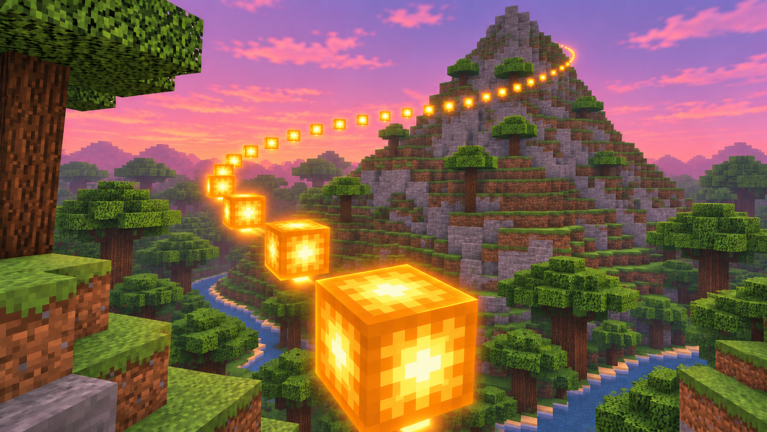
Plenty of the ~580k visits to Relaxing Nature Obby come from phones and tablets. Touch parkour can feel great when landscape framing, jump-thumb placement, and network hygiene line up—or miserable when heat, ping, and mid-air camera flicks stack. This guide is for players who want legitimate mobile clears across forest, mountain, and sunset biomes without grinding frustration into the ASMR fantasy built by ASMR Jumps (place 73535452172577, universe 10774761774).
Pair these habits with the shared input map on Controls and the first-hour path on Getting Started. Headphones still matter on mobile—see ASMR Tips.
Start in landscape
Portrait mode squeezes scenic foresight. On sunset stages especially, you need width to judge long sightlines before you leave a block.
- Rotate to landscape before the first forest hop.
- Lock orientation in your OS if the phone auto-flips during jumps.
- Hide floating recorder or chat bubbles that steal edge taps.
- Dim brightness only enough to save battery—mountain edges need readable contrast.
Landscape is not optional cosmetics. It is how you see the next landing without dragging the camera mid-air, the number-one mobile fail pattern in this experience.
Thumb placement and the jump button
Roblox mobile UI puts a virtual joystick on one side and a jump control on the other. For Relaxing Nature Obby:
- Keep the jump button under your right thumb without covering the next platform in the frame.
- Use a light left-thumb drag on the joystick. Heavy thumbs drift off thin mountain beams.
- Rest both hands so shoulders stay relaxed—tense grips shorten sessions and muddy ASMR listening.
- If your device supports customizable touch layouts, nudge jump slightly inward so edge taps do not miss.
Thumb drill (two minutes)
On the opening forest blocks, jump only to platforms you can already see. Do not flick the camera while airborne. Count a calm “one-and” between landings. When that feels automatic, move to longer gaps.
Virtual joystick discipline
The joystick is for approach angle, not panic steering mid-gap.
- Line up on the block, release micro-corrections, then jump.
- Avoid circling the stick while falling—it rarely saves a miss and often worsens the next respawn approach.
- On wet-looking or low-contrast mountain pieces, walk to the front third of the block before jumping, same as PC advice in Controls.
Camera and FOV on touch
Touch look is less precise than a mouse. Compensate with habits:
- Forest: Slightly elevated camera to see staggered greens ahead.
- Mountain: Pull tighter so icy edges stay sharp; avoid extreme zoom-out that warps depth.
- Sunset: Wide framing for beauty stops, then tighten again before precision gaps.
Between biomes, pause on a safe pad and reset camera distance. Tired camera habits cause more phone resets than hard geometry. For recovery mindset after a drop, open Checkpoints.
Battery, heat, and session length
Phones thermal-throttle. When frames hitch, jump timing and ASMR sync both suffer.
- Close background streaming apps before long mountain climbs.
- Remove thick cases during summer sessions if the device runs hot.
- Cap session blocks at 15–20 minutes, then stretch hands and cool the phone.
- Plug in only with a stable cable—loose charging cables can cause micro-stutters when bumped.
Calm games still strain thumbs. Breaks protect both comfort and clear rate.
Ping on phone data vs Wi-Fi
Servers allow up to 60 players. Busy instances plus cellular jitter delay jump registration.
| Network | Typical mobile note | Action |
|---|---|---|
| Stable home Wi-Fi | Best for precision mountain | Prefer for hard sections |
| Congested public Wi-Fi | Spiky ping | Switch servers or hotspot |
| LTE / 5G outdoors | Fine for forest, risky for S-tier gaps | Save hard jumps for better signal |
| Near-full server | Extra rubber-banding | Leave and rejoin a quieter instance |
If jumps feel “late,” check ping before blaming your thumbs. Skim Changelog after client or place patches in case input feel shifted.
Biomes on small screens
| Biome | Small-screen challenge | Mobile tip |
|---|---|---|
| Forest | Busy greens can hide edges | Elevate camera; warm up here first |
| Mountain | Thin beams, costly fails | Landscape + tighter FOV; slow approaches |
| Sunset | Long sightlines trick depth | Do not jump on beauty alone—tighten framing |
Difficulty context for each world lives on Worlds. Use forest as a warm-up loop before mountain precision, then treat sunset as showcase pressure—not a reason to rush.
When a section keeps eating attempts, study Hardest Jumps for fail patterns, then return with cooler hands.
Party play on mobile
Playing with friends on the same server?
- Agree who leads screenshot stops so nobody body-blocks a jump.
- Let learners take front so avatars do not hide landings on small screens.
- Mute noisy chat if notification banners steal taps mid-gap.
- Wait at checkpoints instead of rushing ahead—see Checkpoints.
Mobile parties feel best when pacing matches the chill fantasy, not a race timer.
Accessibility on touch devices
- Increase Roblox UI scale if jump or menu hitboxes feel tiny.
- Use wired or low-latency Bluetooth headphones with a comfortable volume ceiling.
- Enable stronger haptic feedback only if it helps timing; disable if it distracts from ASMR audio.
- Colorblind players often read sunset glow easier than dark mountain shade—adjust room light.
- One-handed play is possible on forest, but mountain S-tier gaps deserve two thumbs.
Troubleshooting table
| Problem | Likely cause | Fix |
|---|---|---|
| Constant mid-air misses | Camera flick while jumping | Line up landing first; landscape mode |
| Drift off thin beams | Heavy joystick pressure | Lighter thumb; walk to edge first |
| Delayed jumps | High ping / full server | Switch instance; prefer Wi-Fi |
| Stutter near end of session | Thermal throttle | Cool device; shorter blocks |
| Jump button “dead” taps | UI overlay or fat-finger edge | Reposition hands; hide overlays |
| Audio late vs landing | Bluetooth buffer | Try wired; see ASMR Tips |
| Controls feel different after update | Roblox or place patch | Check Changelog |
Structured clears without scripts
Mobile clears do not need exploit helpers. Scripts that auto-complete movement spoil the lesson and risk accounts—read warnings on the Scripts Hub only if you research the topic. For a calm full-route plan, follow How to Complete.
Related pages
- Controls
- Getting Started
- ASMR Tips
- How to Complete
- Checkpoints
- Hardest Jumps
- Worlds
- Guides Hub
- Changelog
Rotate to landscape, lighten the joystick, and let forest landings teach your thumbs the rhythm. Relaxing Nature Obby on mobile is at its best when the next hop looks obvious before you tap jump.
Frequently Asked Questions
Quick answers to the most common questions.
Should I play Relaxing Nature Obby in landscape on mobile?
Yes. Landscape gives wider foresight for sunset sightlines and mountain beams, and it reduces mid-air camera flicks.
Why do my mobile jumps keep missing?
Usually thumb coverage of the next platform or camera movement while airborne. Line up the landing, then jump once.
Is Wi-Fi required for hard sections?
Not required, but stable Wi-Fi helps on mountain precision. High cellular ping plus busy 60-player servers delays jump feel.
How do I stop my phone from stuttering mid-climb?
Close background apps, cool the device, and take 15–20 minute breaks. Thermal throttle ruins timing and ASMR sync.
Can I clear the whole obby on a phone?
Yes. Use forest warm-ups, checkpoint patience, and the How to Complete plan. Scripts are not required and spoil the pacing lesson.
Do headphones still matter on mobile?
Strongly recommended. Clear landing SFX improve timing. Mute notification sounds so banners do not steal focus mid-gap.